AI Summaries
 Action Items
 AI Chat
 Teams & Collaboration
 Teams & Collaboration
 Integrations
  Blog
Blog  Guide
Guide 



Don't miss your meeting insights!
Transform your meetings into actionable insights. Upgrade today and enjoy 60% off, unlimited shared notes, AI-generated summaries, and real-time collaboration.
 12,716+ Customers
Buy at Discount
 Meeting Notes
 Today only — Enjoy higher transcription accuracy, team collaboration, and full meeting history.Meeting Notes
 Remote & Hybrid Work
 Legal & Compliance
 Sales & CRM
 Healthcare
 Project Management
 HR & Recruitment
 Education & Online Learning
 Personal ProductivityToday only — Enjoy higher transcription accuracy, team collaboration, and full meeting history.
In MeetingNotes, "Notes" refers to the notes added by meeting participants during the meeting. These notes are clear and concise, and should indicate the meeting's topic, key points, and agenda.
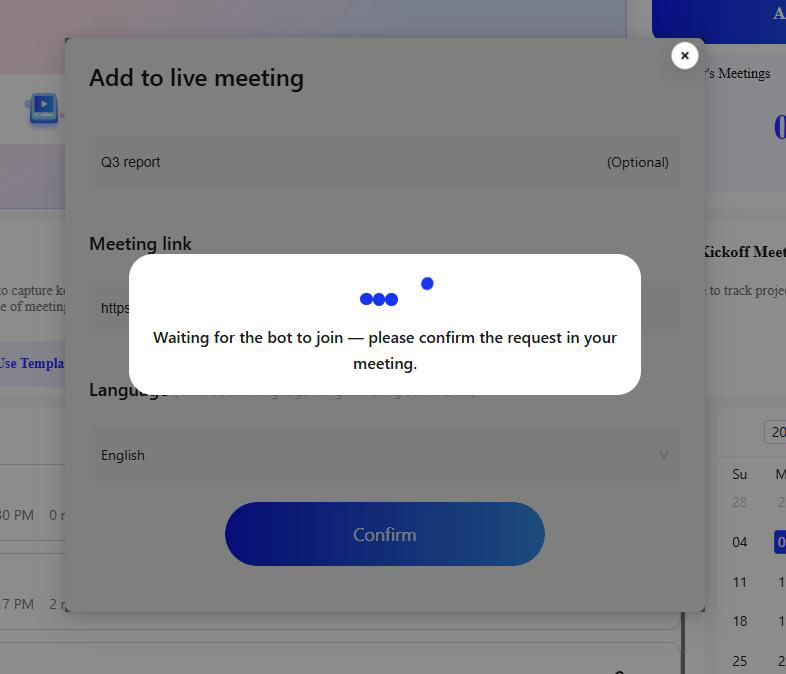
First, invite MeetingNotes to the ongoing meeting, and the page will then redirect to the real-time transcription page.
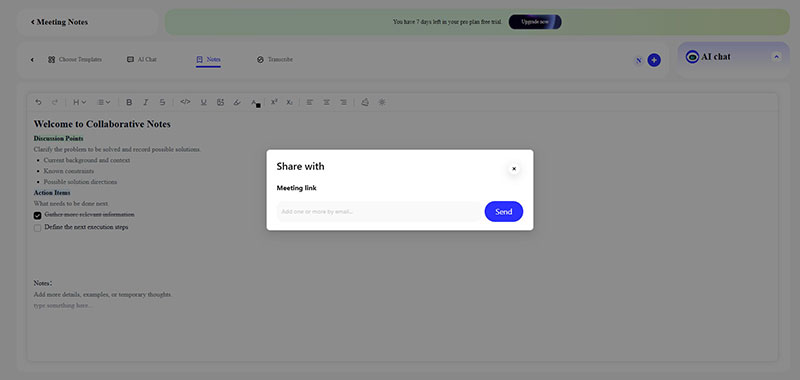
Now, click on the "Notes" option at the top of the page to access your notes. Then, click the plus sign in the bottom right corner, enter the recipient's email address in the pop-up window, and click the "Send" button to send an invitation email.
Others simply need to log in to MeetingNotes to successfully view and join the notes you've shared. At this point, you can see theirs names and their edits within the notes.
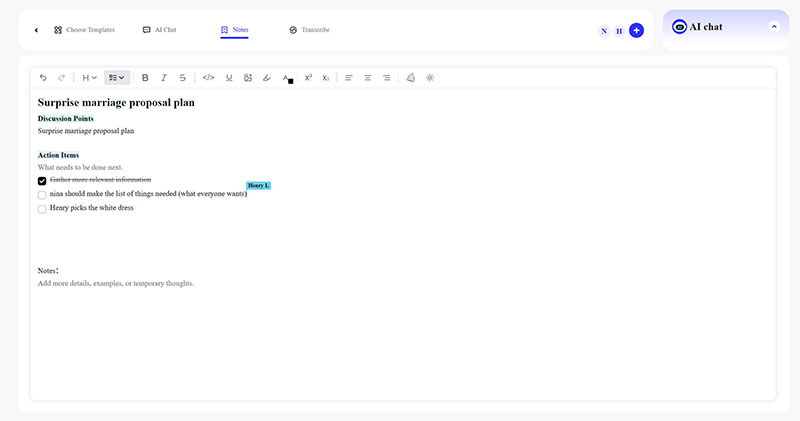
Even after the meeting has ended, Notes feature from MeetingNotes allows you to share notes anytime, anywhere. You simply need to:
First, log in to your MeetingNotes account and click on "Notes" in the left-hand directory of your workspace to access the notes management page.
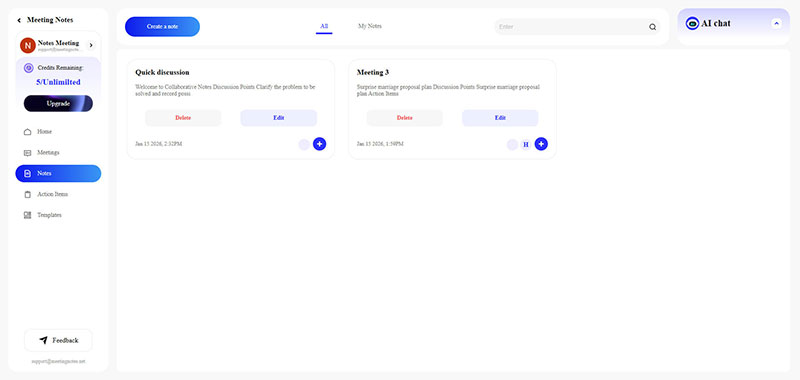
Find the Notes you want to share and click the plus button in the lower right corner of that Notes entry.
Then, enter the recipient's email address and click the "Send" button to send an invitation email, allowing them to join your Notes.
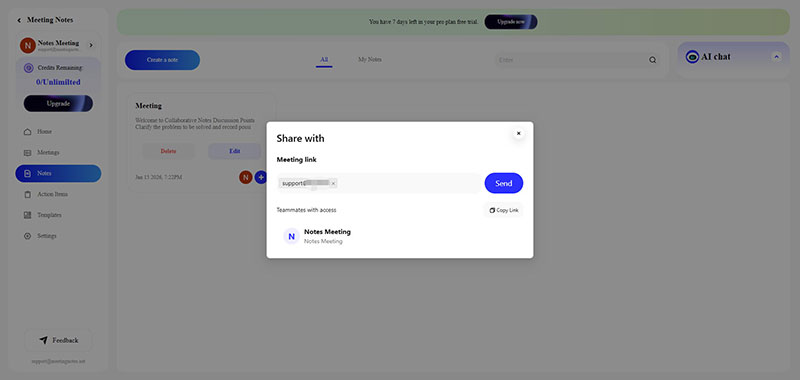
Finally, the recipient can access the Notes through the invitation email you sent and collaborate with you on editing the meeting minutes.
In fact, The Notes are not just view-only records, but truly real-time, collaborative meeting notes that multiple people can edit. As long as you have access to the Notes, you can edit them.
Sharing Notes with others, especially your team, can:
1. Save communication time, as the Notes are immediately clear to everyone.
2. Ensure everyone maintains a consistent perspective, avoiding information discrepancies.
3. Allow for real-time modification.