AI Summaries
 Action Items
 AI Chat
 Teams & Collaboration
 Teams & Collaboration
 Integrations
  Blog
Blog  Guide
Guide 



Don't miss your meeting insights!
Transform your meetings into actionable insights. Upgrade today and enjoy 60% off, unlimited shared notes, AI-generated summaries, and real-time collaboration.
 12,716+ Customers
Buy at Discount
 Meeting Notes
 Today only — Enjoy higher transcription accuracy, team collaboration, and full meeting history.Meeting Notes
 Remote & Hybrid Work
 Legal & Compliance
 Sales & CRM
 Healthcare
 Project Management
 HR & Recruitment
 Education & Online Learning
 Personal ProductivityToday only — Enjoy higher transcription accuracy, team collaboration, and full meeting history.
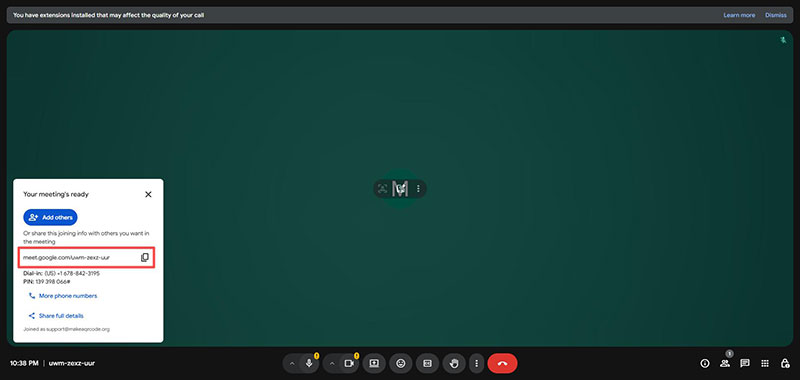
Step 1. Open Google Meet and click "Create Meeting".
Step 2. Copy the meeting link that pops up on the left, or simply copy the URL from your browser.
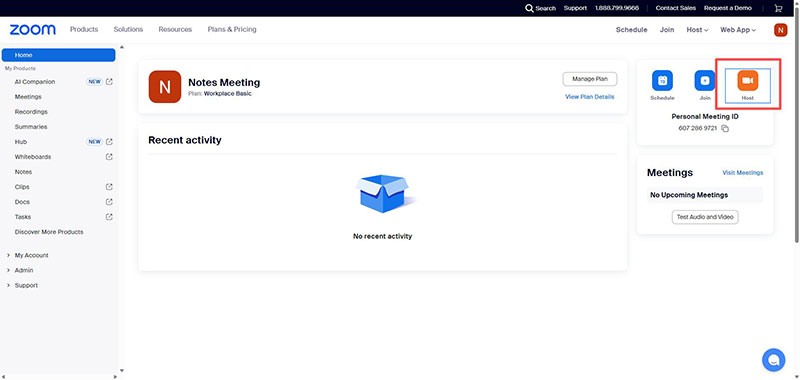
Step 1. Open Zoom and click "Host" on the right to create a meeting.
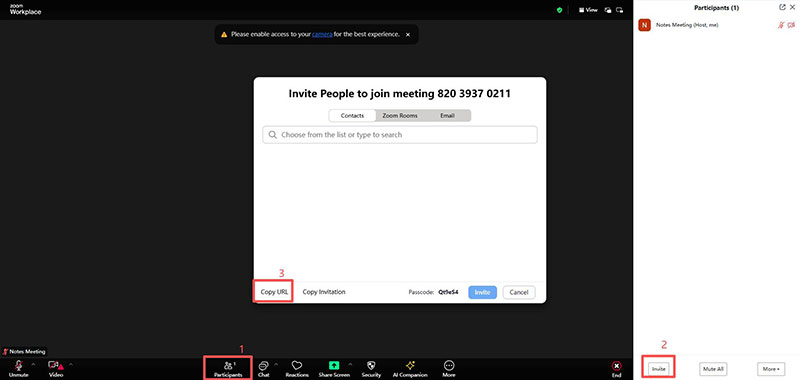
Step 2. In the meeting window, click "Participants" at the bottom. Then click the "Invite" button at the bottom of the right-hand menu.
Step 3. In the new window, select "Copy URL" to get the Zoom meeting link.
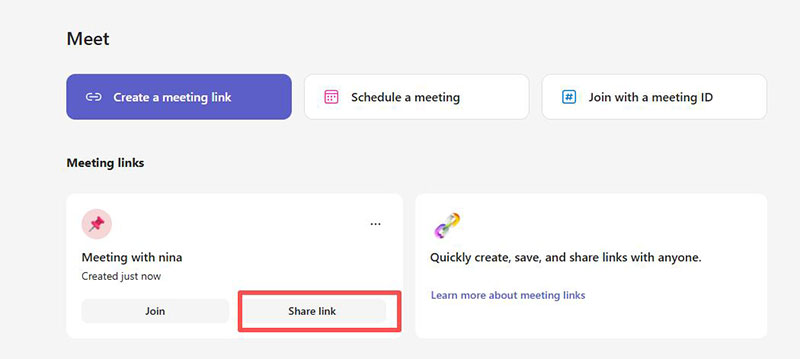
Step 1. Go to the Teams meeting tool's online page and click "Meet" on the left to enter the meeting scheduling interface.
Step 2. In the Meet window, click the "Create a meeting link" button to create and copy the meeting link.
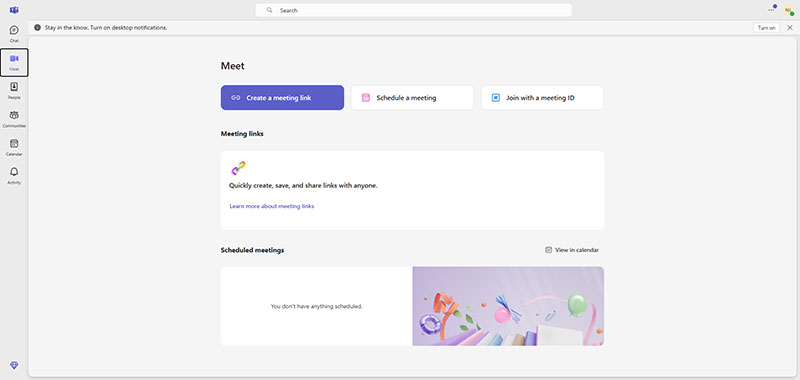
Alternatively, after successfully creating a meeting, you can click the Share link button provided by the meeting below the Create a meeting link button.