AI Summaries
 Action Items
 AI Chat
 Teams & Collaboration
 Teams & Collaboration
 Teams & Collaboration
 Teams & Collaboration
 Teams & Collaboration
 Teams & Collaboration
 Teams & Collaboration
 Teams & Collaboration
 Teams & Collaboration
 Integrations
  Personal Productivity
 Blog
Blog  Guide
Guide Taking meeting minutes doesn’t have to be painful. With the right template, you can capture what matters without scrambling to write everything down.
This guide gives you: - Ready-to-use meeting minutes templates (free download) - Examples for different meeting types - Step-by-step writing instructions - Best practices from professional secretaries - AI tools to automate the process
Whether you’re a board secretary, team lead, or project manager, you’ll find a template that works.
Why Meeting Minutes Matter
Meeting minutes aren’t just paperwork. They serve real purposes:
Legal Protection
Minutes create an official record of decisions. If someone challenges a decision later, minutes prove the board followed proper procedures.
Accountability
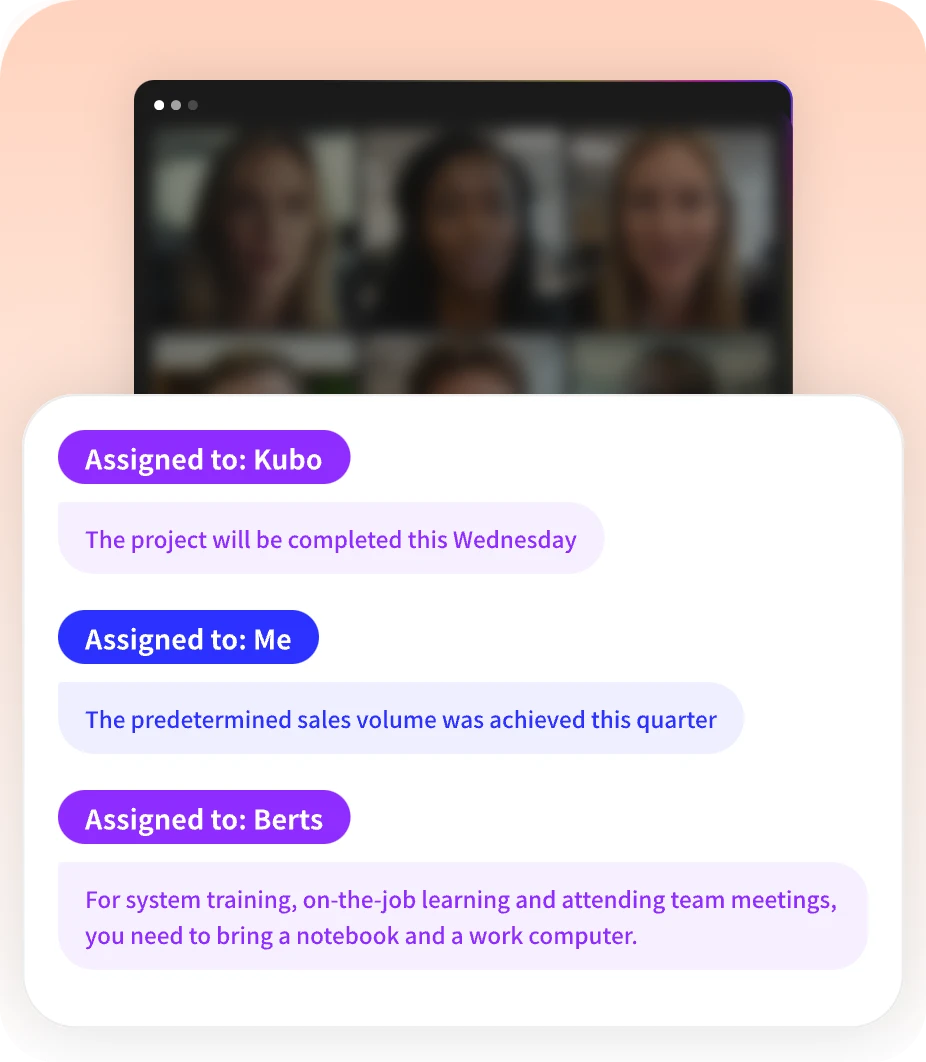
When action items are documented with owners and deadlines, people actually follow through. No more “I didn’t know I was supposed to do that.”
Continuity
New team members can see what was decided before they joined. Prevents rehashing old discussions.
Compliance
Nonprofits need minutes for tax-exempt status. Public companies need them for securities regulations. Many organizations require minutes by law.
What to Include in Meeting Minutes
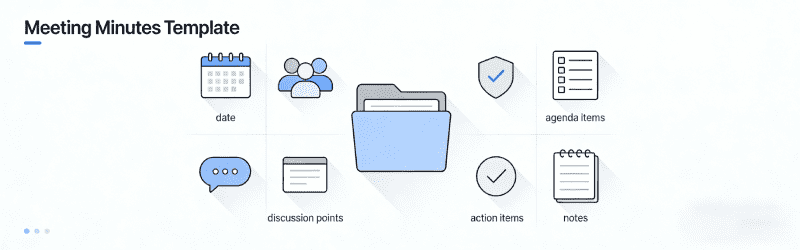
Every meeting minutes should capture:
Basic Information
· Organization/team name
· Meeting date and time
· Location (or virtual platform)
· Attendees (present and absent)
· Guests or staff present
· Quorum status (for formal boards)
Meeting Content
· Call to order (meeting start)
· Approval of previous minutes
· Reports (officer, committee, team)
· Old business discussed
· New business discussed
· Motions made and votes taken
· Action items assigned
· Adjournment time
Free Meeting Minutes Templates
Template 1: Simple Team Meeting Minutes
[TEAM NAME] MEETING MINUTES
Date: [Date]
Time: [Start] - [End]
Location: [Address or Video Link]
ATTENDEES:
Present: [Name 1, Name 2, Name 3]
Absent: [Name 4, Name 5]
Facilitator: [Name]
Note-taker: [Name]
AGENDA:
- [Topic 1]
- [Topic 2]
- [Topic 3]
DISCUSSION NOTES:
[Topic 1]
- Key points discussed:
- Decisions made:
- Action items: [Task] - [Owner] - [Due Date]
[Topic 2]
- Key points discussed:
- Decisions made:
- Action items: [Task] - [Owner] - [Due Date]
ACTION ITEMS SUMMARY:
| Task | Owner | Due Date | Status |
|---|---|---|---|
NEXT MEETING:
Date: [Date]
Time: [Time]
Agenda items: [Topics]
Meeting adjourned at [Time]
Best for: Weekly team meetings, standups, department syncs.
Template 2: Formal Board Meeting Minutes
[ORGANIZATION NAME]
BOARD OF DIRECTORS MEETING MINUTES
Date: [Date]
Time: [Start Time] to [End Time]
Location: [Address or Virtual Platform]
ATTENDANCE:
Present: [Name 1, Name 2, Name 3]
Absent: [Name 4, Name 5]
Guests: [Name 6, Staff]
Quorum: [Yes/No]
CALL TO ORDER:
The meeting was called to order at [Time] by [Chair Name].
APPROVAL OF PREVIOUS MINUTES:
Motion: [Name] moved to approve the minutes from [Date].
Second: [Name]
Vote: [Unanimous / X For, X Against, X Abstained]
Result: [Approved/Not Approved]
REPORTS:
Executive Director Report:
[Summary of key points]
Treasurer Report:
[Summary of financial report]
Motion to approve: [Name]
Vote: [Result]
Committee Reports:
[Committee Name]: [Summary]
OLD BUSINESS:
[Topic 1]
Discussion: [Brief summary of discussion]
Motion: [Exact wording of motion]
Moved by: [Name]
Seconded by: [Name]
Vote: [For: X, Against: X, Abstained: X]
Result: [Passed/Failed]
NEW BUSINESS:
[Topic 1]
Discussion: [Brief summary]
Motion: [Exact wording]
Vote: [Result]
Action: [Who will do what by when]
EXECUTIVE SESSION (if applicable):
[Summary of closed session topics]
ACTION ITEMS:
| Task | Assigned To | Due Date | Status |
|---|---|---|---|
ADJOURNMENT:
Motion: [Name] moved to adjourn.
Second: [Name]
Vote: [Unanimous]
Meeting adjourned at [Time].
Respectfully submitted,
[Secretary Name]
Secretary
[Date]
[Chair Name]
Chair
[Date]
Best for: Board meetings, formal governance, nonprofit boards, corporate directors.
Template 3: Project Meeting Minutes
[PROJECT NAME] - PROJECT MEETING MINUTES
Meeting Type: [Kickoff / Status / Review / Retrospective]
Date: [Date]
Time: [Start] - [End]
Location: [Address or Video Link]
ATTENDEES:
Project Team: [Names]
Stakeholders: [Names]
Absent: [Names]
PROJECT STATUS:
Overall Status: [Green / Yellow / Red]
Budget Status: [On Track / At Risk / Over Budget]
Timeline Status: [On Track / At Risk / Behind]
AGENDA & DISCUSSION:
Project Updates
Risks & Issues
Risk/Issue Impact Owner Mitigation Decisions Made
- [Decision 1]
- [Decision 2]
Action Items
Action Owner Due Date Priority Upcoming Milestones
Milestone Target Date Status
NEXT MEETING:
Date: [Date]
Time: [Time]
Focus: [Topics]
Minutes prepared by: [Name]
Distribution: [Team/Stakeholders]
Best for: Project status meetings, kickoffs, sprint planning, retrospectives.
Template 4: Staff Meeting Minutes
[DEPARTMENT/COMPANY] STAFF MEETING MINUTES
Date: [Date]
Time: [Start] - [End]
Location: [Address or Video Link]
Facilitator: [Name]
ATTENDEES:
Present: [Names]
Absent: [Names]
WELCOME & INTRODUCTIONS:
[Brief notes]
ANNOUNCEMENTS:
- [Announcement 1]
- [Announcement 2]
DEPARTMENT UPDATES:
[Department 1]:
- [Key update]
- [Ask/Need from team]
[Department 2]:
- [Key update]
- [Ask/Need from team]
TOPICS FOR DISCUSSION:
[Topic 1]
Discussion: [Summary]
Decision: [Outcome]
Owner: [Name]
[Topic 2]
Discussion: [Summary]
Decision: [Outcome]
Owner: [Name]
ACTION ITEMS:
| What | Who | When |
|---|---|---|
OPEN DISCUSSION / Q&A:
[Summary of questions and answers]
NEXT MEETING:
Date: [Date]
Time: [Time]
Minutes by: [Name]
Best for: All-hands meetings, department syncs, company-wide updates.
Template 5: One-on-One Meeting Minutes
ONE-ON-ONE MEETING NOTES
Date: [Date]
Participants: [Manager] & [Employee]
CHECK-IN:
How are you doing? [Notes]
TOPICS DISCUSSED:
[Topic 1]
Discussion: [Notes]
Action: [Task] - [Owner] - [Due]
[Topic 2]
Discussion: [Notes]
Action: [Task] - [Owner] - [Due]
GOALS & PROGRESS:
- [Goal 1]: [Progress update]
- [Goal 2]: [Progress update]
BLOCKERS/CONCERNS:
- [Blocker 1]
- [Blocker 2]
FEEDBACK:
Manager to Employee: [Notes]
Employee to Manager: [Notes]
ACTION ITEMS:
| Task | Owner | Due Date |
|---|---|---|
NEXT 1:1:
Date: [Date]
Focus: [Topics]
Best for: Manager-employee 1:1s, coaching sessions, performance check-ins.
How to Write Meeting Minutes: Step-by-Step
Before the Meeting
- Get the agenda — Know what will be discussed
- Prepare your template — Fill in basic info ahead of time
- Review previous minutes — Know what action items to follow up on
- Test your tools — If using AI transcription, make sure it’s set up
During the Meeting
- Arrive early — Note who’s present as people join
- Focus on decisions, not discussion — Capture outcomes, not every word
- Record exact motion wording — For formal meetings, this matters
- Note action items clearly — Who, what, when
- Ask for clarification — If something is unclear, speak up
After the Meeting
- Type up minutes within 24 hours — While memories are fresh
- Review for accuracy — Check names, dates, decisions
- Send for approval — Usually to meeting chair or facilitator
- Distribute to attendees — Within a week is standard
- File/store securely — Especially for board minutes
Meeting Minutes Best Practices
Do’s ✅
· Be concise — Capture decisions and actions, not every word
· Use objective language — No opinions or side comments
· Record exact motion wording — For votes and formal decisions
· Note abstentions and conflicts — Show when someone recuses themselves
· Distribute promptly — Within a week while memories are fresh
· Store securely — Restricted access for sensitive minutes
· Use consistent format — Makes minutes easier to scan
Don’ts ❌
· Don’t transcribe verbatim — Unless legally required
· Don’t include personal opinions — Keep it neutral
· Don’t wait too long — Write within 24-48 hours
· Don’t skip approval — Get chair sign-off before distributing
· Don’t share prematurely — Wait for approval first
· Don’t lose them — Back up and archive properly
AI Tools for Meeting Minutes
Taking minutes manually takes skill and time. AI tools can help:
MeetingNotes
· Automatic transcription
· AI-generated summaries
· Action item extraction
· Professional formatting
Otter AI
· Real-time transcription
· Speaker identification
· AI summaries
· Search functionality
Fireflies AI
· Meeting transcription
· CRM integration
· Conversation intelligence
· Action item tracking
Fathom
· Free unlimited transcription
· AI summaries
· Ask Fathom search
· Simple interface
Meeting Minutes Checklist
Before: - [ ] Get agenda - [ ] Prepare template - [ ] Review previous minutes - [ ] Test transcription tools
During: - [ ] Record attendance - [ ] Capture decisions - [ ] Note action items (who/what/when) - [ ] Record exact motions (if formal)
After: - [ ] Type up within 24 hours - [ ] Review for accuracy - [ ] Send for approval - [ ] Distribute to attendees - [ ] File/store securely
Download Templates
Available Formats: - Microsoft Word (.docx) - Google Docs (make a copy) - Excel (.xlsx) — for action item tracking - PDF — for printing
To use: 1. Download the template 2. Fill in your meeting details 3. Customize sections as needed 4. Save and distribute
Common Questions
How long should meeting minutes be?
For most meetings: 1-2 pages. Board meetings may be longer (3-5 pages). The key is capturing decisions and actions, not every word discussed.
Who should take meeting minutes?
Often the secretary (for boards) or a designated note-taker (for teams). Rotate the role for team meetings so it’s not always the same person.
Do all meetings need minutes?
Formal meetings (board, shareholder, regulatory) require minutes by law. Team meetings benefit from minutes but aren’t legally required.
How do I store meeting minutes?
· Digital: Cloud storage with access controls (Google Drive, SharePoint)
· Physical: Binder or filing cabinet (for formal boards)
· AI tools: Many store minutes automatically with search
Can AI write meeting minutes?
Yes! AI tools like MeetingNotes can transcribe meetings and generate draft minutes automatically. You’ll still want to review and edit for accuracy.
Conclusion
Good meeting minutes don’t happen by accident. They require preparation, focus, and the right template.
Use the templates in this guide. Follow the best practices. And consider AI tools to automate the heavy lifting.
Your future self (and your team) will thank you when you can look back and see exactly what was decided — and who’s responsible for what.
Want to automate your minutes? Check out MeetingNotes for AI-powered transcription and professional minute generation. It’s worth the investment if you take lots of meetings.