AI Summaries
 Action Items
 AI Chat
 Teams & Collaboration
 Teams & Collaboration
 Teams & Collaboration
 Teams & Collaboration
 Teams & Collaboration
 Teams & Collaboration
 Teams & Collaboration
 Teams & Collaboration
 Teams & Collaboration
 Integrations
  Personal Productivity
 Blog
Blog  Guide
Guide Read AI is doing something different in the AI meeting assistant space. Instead of just transcribing meetings, it’s trying to become your “digital twin” — an AI executive assistant that searches across meetings, emails, chats, and CRMs.
The company raised $50M in late 2024 and is backed by some serious names. But does the product live up to the hype?
This review covers everything — from the Search Copilot feature to pricing, from integrations to real-world usability. Let’s get into it.

What Is Read AI?
Read AI is an AI notetaker and enterprise search platform that captures meetings and unifies insights across your work tools.
The platform offers: - Automatic meeting transcription and summaries - Search Copilot — AI search across meetings, emails, chats, CRMs - Ada — Your “digital twin” AI assistant - Sentiment analysis and engagement metrics - Multi-language support (20+ languages) - Enterprise-grade security (SOC 2, GDPR, HIPAA)
Read AI’s differentiator is its enterprise search capability. It’s not just about meetings — it’s about finding answers across all your work conversations.
Key Features Breakdown
1. Meeting Capture & Summaries
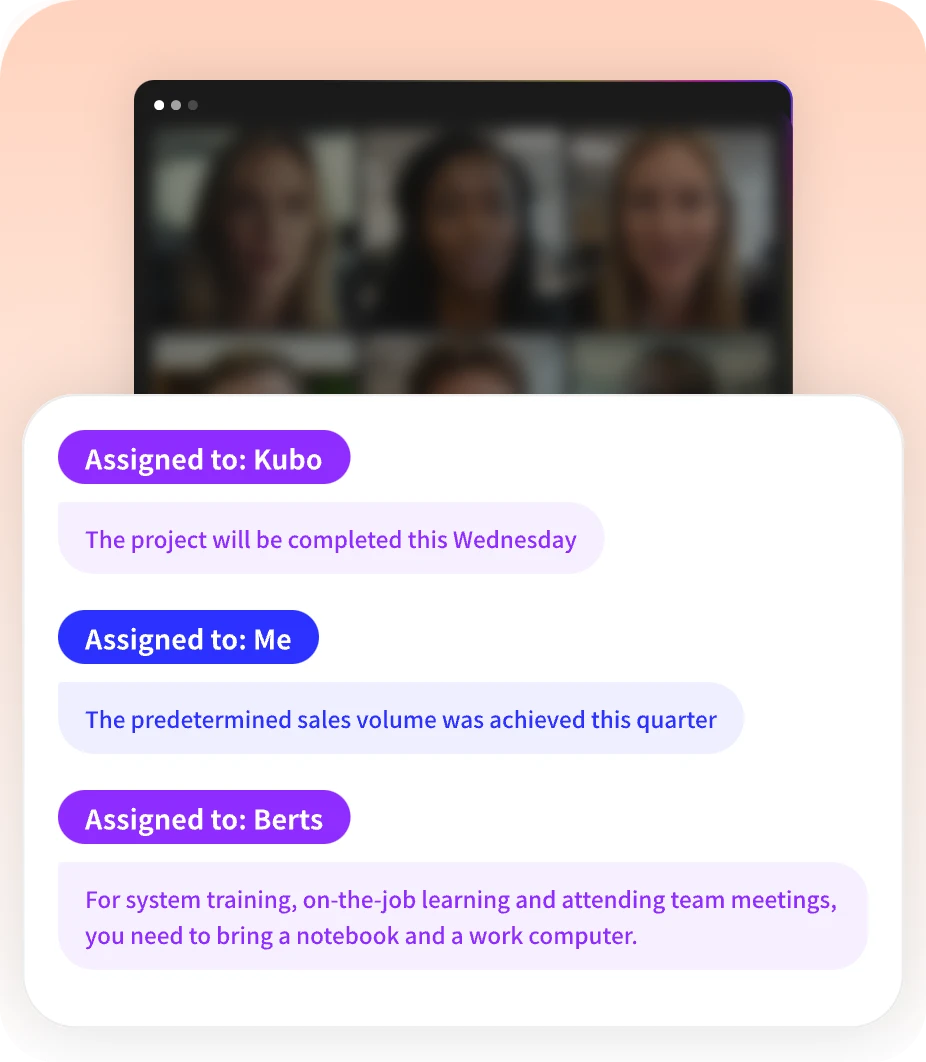
Read AI automatically joins your meetings and provides: - Auto-generated recaps with key points - Action items extracted from conversations - Highlights of important moments - Transcripts with speaker identification
Supported platforms: - Google Meet - Zoom - Microsoft Teams
The meeting summaries are solid — concise but informative. Not as detailed as Fireflies, but faster to scan.
2. Search Copilot (Killer Feature)
This is Read AI’s standout feature. Search Copilot is an AI-powered search engine that queries: - Meeting transcripts - Emails - Chat messages (Slack, Teams) - CRM records - Documents and notes
Example queries: - “What did the client say about budget in last week’s call?” - “Find all discussions about the Q3 launch” - “Show me action items from marketing meetings”
The search returns answers with citations — linking directly to where information was discussed. This is genuinely useful.
3. Ada — Your Digital Twin
Ada is Read AI’s AI assistant that: - Learns your communication style - Drafts emails on your behalf - Suggests responses based on context - Proactively surfaces relevant information
It’s early but promising. The “learns you” aspect is more than marketing — Ada does adapt to your patterns over time.
4. Sentiment Analysis
Read AI analyzes meeting engagement: - Sentiment tracking — Positive/negative/neutral tone - Talk-time analytics — Who spoke how much - Engagement warnings — Alerts if participants seem disengaged
For sales teams, this helps identify at-risk deals. For managers, it spots team morale issues.
5. Integrations
Read AI integrates with: - Video conferencing: Zoom, Google Meet, Teams - Communication: Slack, Email (Gmail, Outlook) - CRM: Salesforce, HubSpot - Productivity: Google Workspace, Microsoft 365
The integration ecosystem is smaller than Fireflies’ but covers the essentials.
6. Multi-Language Support
Read AI supports 20+ languages including: - English - Spanish - French - German - Portuguese - And more…
Auto-language detection works well for multilingual teams.
7. Security & Privacy
Read AI is built for enterprise: - SOC 2 Type 2 Certified - GDPR Compliant - HIPAA Compliant - No training on your data by default - Private storage options for enterprise
For CIOs evaluating AI tools, this matters.
Read AI Pricing
Read AI’s pricing structure:
Free
· Price: $0
· Meetings: 5 meetings per month
· Features: Basic transcription, summaries, Search Copilot access
· No credit card required
Best for: Individuals testing the platform.
Pro
· Price: ~$20/user/month (estimated, contact for exact pricing)
· Meetings: Unlimited
· Features: Advanced summaries, sentiment analysis, integrations
Best for: Regular users and small teams.
Enterprise
· Price: Custom pricing
· Features: Everything in Pro plus SSO, private storage, dedicated support, custom data retention
Best for: Large organizations with security requirements.
Note: Read AI’s pricing page is less transparent than competitors. You may need to contact sales for exact pricing.
Read AI vs. The Competition
How does Read AI compare to other meeting management tools?
Read AI vs. Fireflies
· Read AI wins: Search Copilot, enterprise search, Ada AI assistant, cleaner interface
· Fireflies wins: More integrations (200+ AI apps), better CRM sync, more transparent pricing, conversation intelligence
Verdict: Read AI for enterprise search. Fireflies for sales teams and integrations.
Read AI vs. Otter
· Read AI wins: Search across tools, sentiment analysis, modern interface
· Otter wins: More established, better mobile apps, clearer pricing, Web Clipper alternative
Verdict: Read AI for teams wanting unified search. Otter for simplicity.
Read AI vs. MeetingNotes
· Read AI wins: Enterprise search, multi-tool integration, AI assistant
· MeetingNotes wins: Focused on meetings, competitive pricing, simpler workflow
Verdict: Different use cases. Read AI for breadth, MeetingNotes for depth.
Pros and Cons
✅ What Read AI Does Well
- Search Copilot — Genuinely useful for finding information
- Enterprise search — Unified insights across tools
- Ada AI assistant — Learns your style over time
- Sentiment analysis — Helpful for sales and management
- Security — SOC 2, GDPR, HIPAA compliant
- Privacy — No training on your data by default
- Interface — Modern, clean, intuitive
❌ Where Read AI Falls Short
- Pricing transparency — Need to contact sales for details
- Integration ecosystem — Smaller than Fireflies
- Market presence — Less established than Otter
- Free tier limits — Only 5 meetings/month
- AI features — Still evolving, not all fully baked
- Mobile apps — Less polished than competitors
Real User Feedback
Read AI has growing adoption. Here’s what users say:
Positive themes: - “Search Copilot is a game-changer for finding info” - “Ada actually learns how I communicate” - “Sentiment analysis helped us save at-risk deals” - “Finally, one place to search everything”
Common complaints: - “Pricing isn’t clear on the website” - “Free tier is very limited” - “Integrations are missing some tools we use” - “Still feels early in development”
The consensus? Read AI is promising and innovative, but still maturing.
Who Should Use Read AI?
Great fit for:
· Enterprise teams — Security and compliance ready
· Sales organizations — Sentiment analysis + CRM search
· Consultants — Client meeting documentation
· Remote teams — Async updates across tools
· Information workers — Search across emails, chats, meetings
Not ideal for:
· Budget individuals — Free tier too limited
· Simple note-taking — Overkill for basic needs
· Tool-specific users — If you only need meeting notes
· Early adopters only — Some features still evolving
Is Read AI Worth It in 2026?
Here’s the bottom line.
Read AI is doing something unique — combining meeting intelligence with enterprise search. The Search Copilot feature is genuinely useful, and Ada shows promise as a personalized AI assistant.
Worth it if: - You need search across multiple tools - Your team values enterprise security - You want AI that learns your style - You have budget for Pro or Enterprise - You’re comfortable with a newer platform
Skip it if: - You only need meeting transcription - You want transparent, self-serve pricing - You need extensive integrations - You prefer established vendors
For enterprise teams, Read AI is worth evaluating. The search capability alone can save hours weekly.
Conclusion
Read AI is an innovative AI meeting assistant that’s pushing beyond transcription into unified workplace intelligence. The Search Copilot feature is a genuine differentiator, and the security credentials make it enterprise-ready.
It’s not as feature-rich as Fireflies or as polished as Otter — yet. But the direction is compelling, and the $50M funding suggests investors see potential.
If you’re evaluating meeting tools and value enterprise search, Read AI deserves a spot on your shortlist.
Looking for meeting-specific tools? Check out MeetingNotes for focused AI meeting assistance with transcription and actionable summaries. It’s worth comparing before you commit.
Read AI represents the future of work intelligence — unified, searchable, and AI-powered. It’s worth watching.