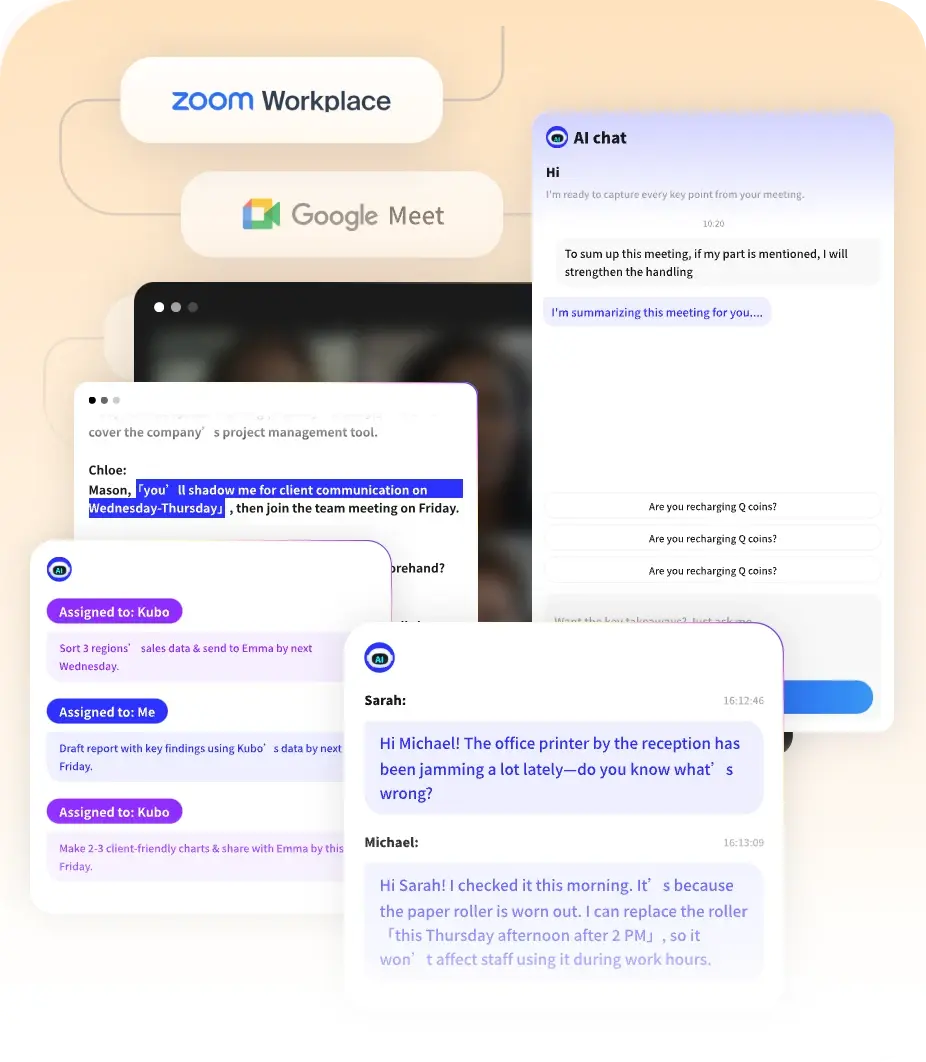
AI Summaries
 Action Items
 AI Chat
 Teams & Collaboration
 Teams & Collaboration
 Teams & Collaboration
 Teams & Collaboration
 Teams & Collaboration
 Teams & Collaboration
 Teams & Collaboration
 Teams & Collaboration
 Teams & Collaboration
 Integrations
  Personal Productivity
 Blog
Blog  Guide
Guide Fathom AI has a simple value proposition: free AI meeting notes for individuals, with optional paid plans for teams.
No credit card required. No usage limits on the free tier. Just automatic meeting transcription and summaries.
In a market where most competitors restrict their free plans heavily, Fathom stands out. But is “free” too good to be true?
This review covers everything — from transcription quality to team features, from integrations to real-world usability. Let's get into it.
What Is Fathom AI?
Fathom AI is an AI notetaker that automatically records, transcribes, and summarizes your meetings. It positions itself as the frictionless option — zero setup, works wherever you meet.
The platform offers: - Automatic meeting transcription and summaries - “Ask Fathom” AI search across past meetings - AI Scorecards for coaching and performance tracking - CRM and tool integrations (Salesforce, HubSpot, Slack, etc.) - Team collaboration features - Completely free plan for individuals
Fathom’s differentiator is its generous free tier and focus on simplicity.
Key Features Breakdown
1. Automatic Meeting Notes
Fathom joins your meetings and provides: - Shockingly accurate transcripts (Fathom’s claim) - Instant summaries delivered to your inbox - Action items extracted automatically - Key moments highlighted for quick review
Supported platforms: - Zoom - Google Meet - Microsoft Teams
The setup is genuinely frictionless. Install the app, connect your calendar, and Fathom automatically joins scheduled meetings.
2. Ask Fathom (AI Search)
“Ask Fathom” lets you search across all your past meetings: - “What did the client say about timeline?” - “Show me action items from last week” - “When did we discuss the pricing change?”
The search returns answers with context and timestamps. It’s useful for finding information without re-watching calls.
3. AI Scorecards (Team Feature)
For teams, Fathom offers AI Scorecards: - Track specific topics across calls - Monitor engagement and sentiment - Get coaching insights for sales reps - Identify patterns in customer conversations
Managers can see which reps are talking too much, which deals have negative sentiment, and what topics correlate with wins.
4. Integrations
Fathom integrates with: - CRM: Salesforce, HubSpot - Communication: Slack, Gmail - Project Management: Asana, Notion - Video: Zoom, Google Meet, Teams
The integration ecosystem is smaller than Fireflies but covers the essentials.
5. Team Collaboration
Fathom Teams offers: - Shared library of all team meetings - Search across conversations for patterns - Automatic updates to keep everyone aligned - Action item tracking across the team
The shared visibility is valuable for remote teams.
6. Mobile Apps
Fathom has: - iOS app for iPhone/iPad - Android app for mobile recording - Chrome extension for browser-based meetings
The mobile experience is solid — record on the go and access your library anywhere.
Fathom Pricing: Free + Team Plans
Fathom’s pricing is refreshingly simple:
Free (Individuals)
· Price: $0 forever
· Meetings: Unlimited
· Transcription: Unlimited
· Summaries: Unlimited
· Storage: Unlimited
· Features: Automatic notes, summaries, Ask Fathom, mobile apps, Chrome extension
Best for: Anyone. Seriously — the free tier is genuinely usable.
The catch: Team features and advanced integrations require paid plan.
Teams
· Price: ~$20-30/user/month (contact for exact pricing)
· Features: Everything in Free plus AI Scorecards, team library, advanced integrations, admin controls
Best for: Teams that need collaboration and coaching features.
Value: Competitive with Fireflies and Otter for team features.
Note: Fathom’s pricing page focuses on the free tier. Team pricing requires contact or sign-up.
Fathom vs. The Competition
How does Fathom compare to other meeting management tools?
Fathom vs. Fireflies
· Fathom wins: Completely free for individuals, simpler setup, unlimited storage on free tier
· Fireflies wins: More integrations (200+ AI apps), better CRM features, conversation intelligence, transparent pricing
Verdict: Fathom for individuals on a budget. Fireflies for teams that need advanced features.
Fathom vs. Otter
· Fathom wins: Free tier is unlimited, simpler interface, easier setup
· Otter wins: More established brand, better mobile apps, clearer pricing, Web Clipper alternative
Verdict: Fathom for simplicity and free usage. Otter for polished experience.
Fathom vs. MeetingNotes
· Fathom wins: Free unlimited tier, established brand, team features
· MeetingNotes wins: Focused on meetings, competitive pricing, simpler workflow
Verdict: Fathom for free individuals. MeetingNotes for focused meeting workflows.
Pros and Cons
✅ What Fathom Does Well
- Free tier — Genuinely unlimited, no credit card required
- Setup — Frictionless, works automatically
- Transcription quality — Accurate in most conditions
- Simplicity — Easy to use, no learning curve
- Ask Fathom — Useful AI search across meetings
- Team features — AI Scorecards for coaching
- Integrations — Covers essential tools
❌ Where Fathom Falls Short
- Team pricing — Not transparent, requires contact
- Integration ecosystem — Smaller than Fireflies
- Advanced features — Less robust than enterprise tools
- Customization — Limited compared to competitors
- API access — Limited developer features
- Enterprise features — Less mature for large orgs
Real User Feedback
Fathom has strong user satisfaction. Here’s what people say:
Positive themes: - “Free tier is actually usable — no gotchas” - “Setup took 2 minutes, works perfectly” - “Transcription quality rivals paid tools” - “Ask Fathom saves me so much time” - “AI Scorecards help coach our sales team”
Common complaints: - “Team pricing isn’t clear on website” - “Wish there were more integrations” - “Advanced features feel limited” - “Mobile app could be better”
The consensus? Fathom is the best free option, and competitive even against paid tools.
Who Should Use Fathom?
Great fit for:
· Individuals — Free tier is unbeatable
· Small teams — Affordable, easy to adopt
· Sales teams — AI Scorecards for coaching
· Budget-conscious users — No cost for core features
· Simplicity seekers — No learning curve
Not ideal for:
· Enterprise teams — May need more robust security
· Heavy integrators — Fewer integrations than Fireflies
· Advanced users — Limited customization
· Developer teams — API access is limited
Is Fathom Worth It in 2026?
Here’s the bottom line.
Fathom AI is the best free AI meeting assistant on the market. The free tier is genuinely unlimited — no tricks, no hidden caps. For individuals, it’s a no-brainer.
Worth it if: - You want free meeting transcription - You value simplicity over features - You don’t need extensive integrations - You’re on a tight budget - You want zero setup friction
Skip it if: - You need enterprise security features - You want 200+ integrations - You need advanced customization - You prefer transparent team pricing
For most individuals, Fathom is the obvious choice. Start free, upgrade if you need team features.
Conclusion
Fathom AI has carved out a unique position: the best free AI meeting assistant. The free tier is genuinely unlimited, the transcription quality is solid, and the setup is frictionless.
It’s not as feature-rich as Fireflies or as polished as Otter — but it’s free, and it works. For individuals and small teams, that’s often enough.
If you’re evaluating meeting tools, start with Fathom’s free tier. You can always upgrade or switch later, but you might find it’s all you need.
Looking for meeting-specific tools? Check out MeetingNotes for focused AI meeting assistance with transcription and actionable summaries. It’s worth comparing before you commit.
Fathom proves you don’t need to pay for quality meeting notes. That’s a win for everyone.